Set up in a minute.
Then just copy.Bir dakikada kur.
Sonra sadece kopyala.
Install on your computerBilgisayarına kur
Ferry for Mac lives in the menu bar, Ferry for Windows in the system tray.Mac'te menü çubuğunda, Windows'ta sistem tepsisinde yaşar.
Scan the codeKodu tara
Open Ferry on your iPhone and scan the QR code your computer shows. No account, no password.iPhone'da Ferry'yi aç, bilgisayarın gösterdiği QR kodu tara. Hesap yok, şifre yok.
Copy, paste, sendKopyala, yapıştır, gönder
What you copy is ready on your other devices. Photos and files are one tap away.Kopyaladığın şey diğer cihazlarında hazır. Fotoğraf ve dosyalar tek dokunuş uzağında.
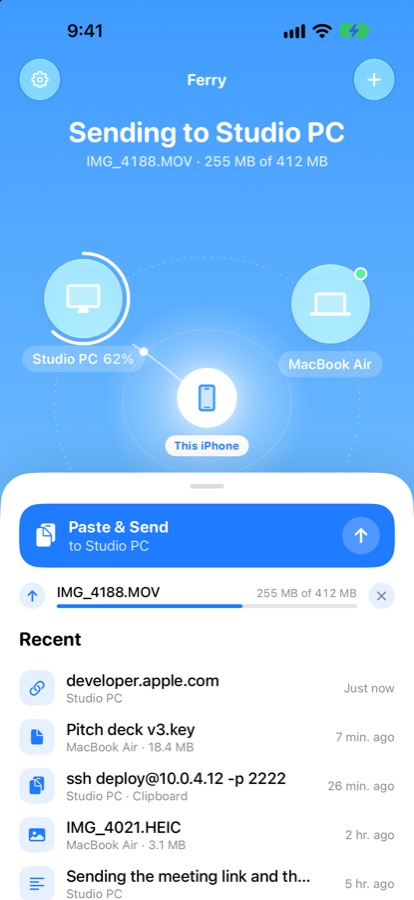
From your phone to your PC, in one tap.Telefondan PC'ye, tek dokunuşla.
Your devices orbit your iPhone. Tap one to send your clipboard, photos, files or a note.Cihazların iPhone'unun etrafında döner. Birine dokun; panonu, fotoğraflarını, dosyalarını ya da bir notu gönder.
- Share › Ferry from Photos, Safari and FilesFotoğraflar, Safari ve Dosyalar'dan Paylaş › Ferry
- Control Center, Action Button and Siri: "Send clipboard"Denetim Merkezi, Eylem Düğmesi ve Siri: "Panoyu gönder"
- Live progress on the Dynamic Island and Lock ScreenDynamic Island ve kilit ekranında canlı ilerleme
- Keeps going in the backgroundArka planda da devam eder
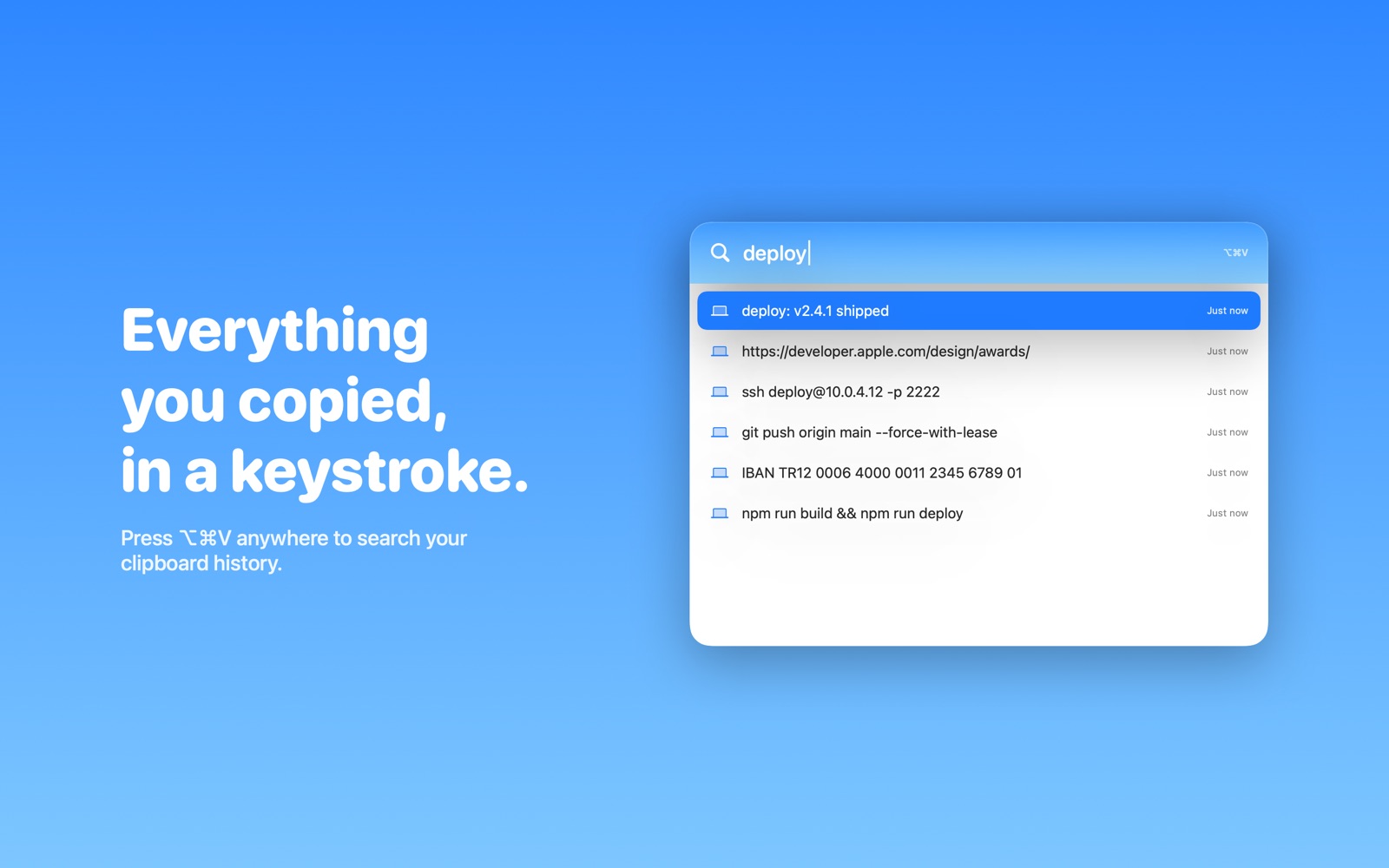
Everything you copied, in a keystroke.Kopyaladığın her şey, tek tuşla.
Press ⌥⌘V in any app to search your clipboard history. Copy a screenshot on your Mac and paste it on your PC.Herhangi bir uygulamada ⌥⌘V'ye bas, pano geçmişinde ara. Mac'te ekran görüntüsünü kopyala, PC'de yapıştır.
- Text and images sync automaticallyMetin ve görseller otomatik senkronlanır
- Drop files on a device to send themDosyaları bir cihazın üstüne bırak, gitsin
- Links from your phone open in your browserTelefondan gelen linkler tarayıcında açılır
- Passwords are never sentŞifreler asla gönderilmez
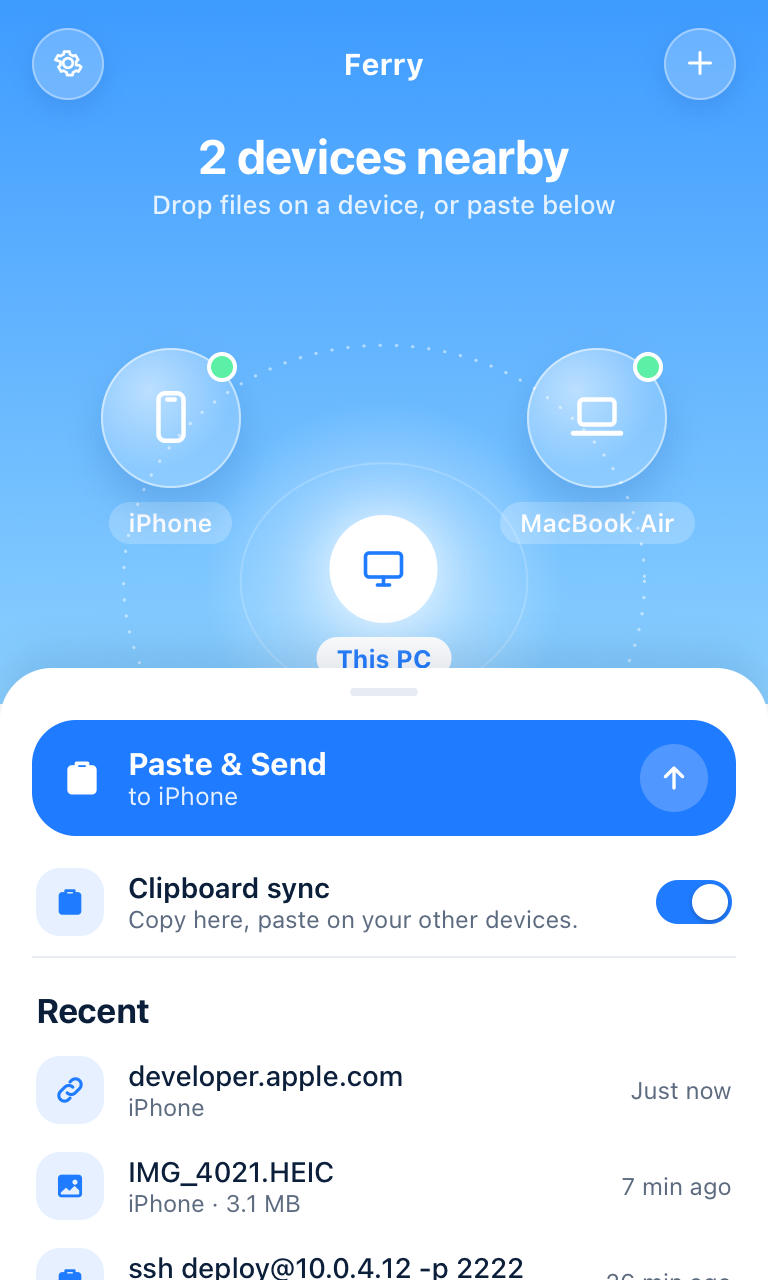
Your PC, finally on the same page as your iPhone.PC'n nihayet iPhone'unla aynı dilde.
A light tray app with the same orbit. Right-click any file › Send to › Ferry.Aynı yörüngeye sahip hafif bir tepsi uygulaması. Herhangi bir dosyaya sağ tık › Gönder › Ferry.
- Win+Shift+S a screenshot, paste it on your iPhoneWin+Shift+S ile ekran görüntüsü al, iPhone'da yapıştır
- Ctrl+Alt+F opens Ferry from anywhereCtrl+Alt+F ile Ferry her yerden açılır
- Folders are zipped and sent automaticallyKlasörler otomatik paketlenip gönderilir
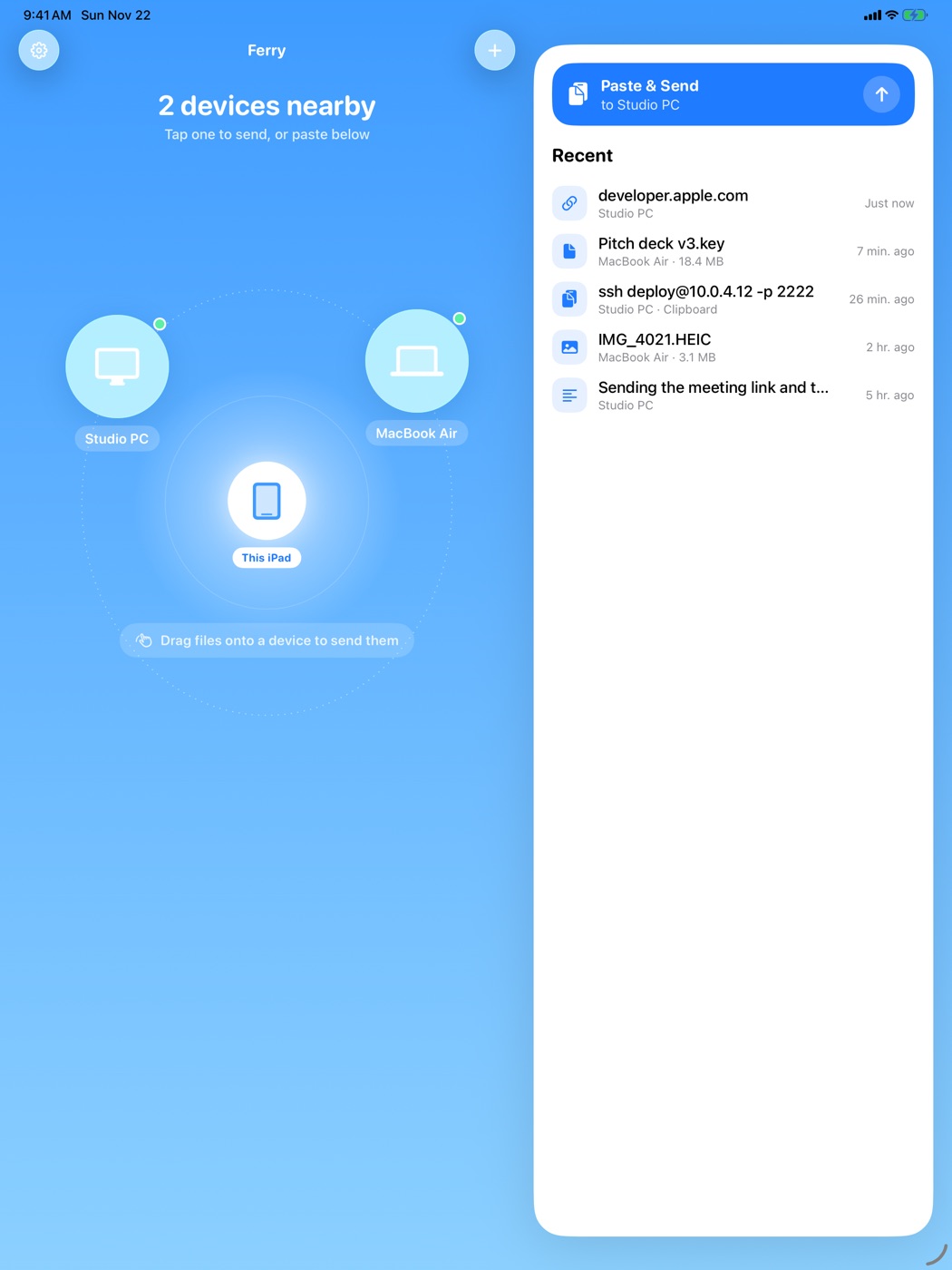
Drag. Drop. Done.Sürükle. Bırak. Bitti.
On iPad, drag photos or files from any app onto a device in the orbit.iPad'de herhangi bir uygulamadan fotoğraf ya da dosyaları yörüngedeki bir cihazın üstüne sürükle.
Your stuff goes to your devices.
Nowhere else.Senin şeylerin senin cihazlarına gider.
Başka hiçbir yere değil.
Ferry doesn't have accounts or a cloud. It can't read what you send, and neither can anyone else.Ferry'de hesap da bulut da yok. Gönderdiğini Ferry okuyamaz; başka kimse de okuyamaz.
End-to-end encryptedUçtan uca şifreli
Every connection uses TLS 1.3 between your own devices.Her bağlantı, kendi cihazların arasında TLS 1.3 kullanır.
Pair with a QR codeQR ile eşleştir
One-time codes that expire in 10 minutes. Only devices you pair can talk to each other.10 dakikada geçerliliğini yitiren tek kullanımlık kodlar. Sadece eşleştirdiğin cihazlar konuşabilir.
Direct when possibleMümkünse doğrudan
On the same Wi-Fi, nothing leaves your network. Elsewhere, an encrypted relay passes it on.Aynı Wi-Fi'da hiçbir şey ağından çıkmaz. Başka yerlerde şifreli bir aktarıcı iletir.
Free to start.Ücretsiz başla.
Free
- 2 devices2 cihaz
- Clipboard sync: text and imagesPano senkronu: metin ve görsel
- Photos, files and foldersFotoğraf, dosya ve klasörler
- End-to-end encryptionUçtan uca şifreleme
Ferry Pro
- Unlimited devicesSınırsız cihaz
- Clipboard history and ⌥⌘V Quick PastePano geçmişi ve ⌥⌘V Hızlı Yapıştır
- Ferry's private relays, any networkFerry'nin özel sunucuları, her ağ
- Everything in FreeÜcretsiz'deki her şey
QuestionsSorular
Does it work when my devices are on different networks?Cihazlarım farklı ağlardayken çalışır mı?
Yes. On the same Wi-Fi, devices talk directly. On different networks (say, your phone on 5G), an encrypted relay passes the data along. The relay can't read it.Evet. Aynı Wi-Fi'da cihazlar doğrudan konuşur. Farklı ağlarda (örneğin telefonun 5G'deyken) veriyi şifreli bir aktarıcı iletir; aktarıcı içeriği okuyamaz.
Can the iPhone sync the clipboard automatically?iPhone panoyu otomatik senkronlayabilir mi?
iOS doesn't let apps read the clipboard in the background. So on iPhone it's one tap: from Control Center, the Action Button, Siri or the app. Mac and Windows sync automatically.iOS, uygulamaların panoyu arka planda okumasına izin vermez. Bu yüzden iPhone'da tek dokunuş: Denetim Merkezi, Eylem Düğmesi, Siri ya da uygulamadan. Mac ve Windows otomatik senkronlar.
Do I need an account?Hesap açmam gerekir mi?
No. You pair devices by scanning a QR code. Ferry Pro is a regular App Store subscription.Hayır. Cihazları QR kod tarayarak eşleştirirsin. Ferry Pro normal bir App Store aboneliğidir.
Are passwords copied too?Şifreler de kopyalanır mı?
No. Password managers mark copied passwords as sensitive, and Ferry never sends those.Hayır. Şifre yöneticileri kopyalanan şifreleri hassas olarak işaretler ve Ferry bunları asla göndermez.
Is there a file size limit?Dosya boyutu sınırı var mı?
No. Large videos are fine, and if a transfer gets interrupted it resumes where it left off.Hayır. Büyük videolar sorun değil; aktarım yarıda kesilirse kaldığı yerden devam eder.
Get FerryFerry'yi edin
iPhone & iPad
iOS 26 or later.iOS 26 veya üstü.
Coming soon to the App StoreYakında App Store'daMac
macOS 26 or later. Lives in your menu bar.macOS 26 veya üstü. Menü çubuğunda yaşar.
Coming soon to the Mac App StoreYakında Mac App Store'daWindows
Windows 10 and 11. Installs per user, no admin rights needed.Windows 10 ve 11. Kullanıcı bazında kurulur, yönetici izni gerekmez.
Download betaBeta'yı indirThe beta isn't signed yet. If Windows shows a SmartScreen warning, choose More info › Run anyway.Beta henüz imzalı değil. Windows SmartScreen uyarısı gösterirse Ek bilgi › Yine de çalıştır'ı seç.